
1. InTRODUCTION
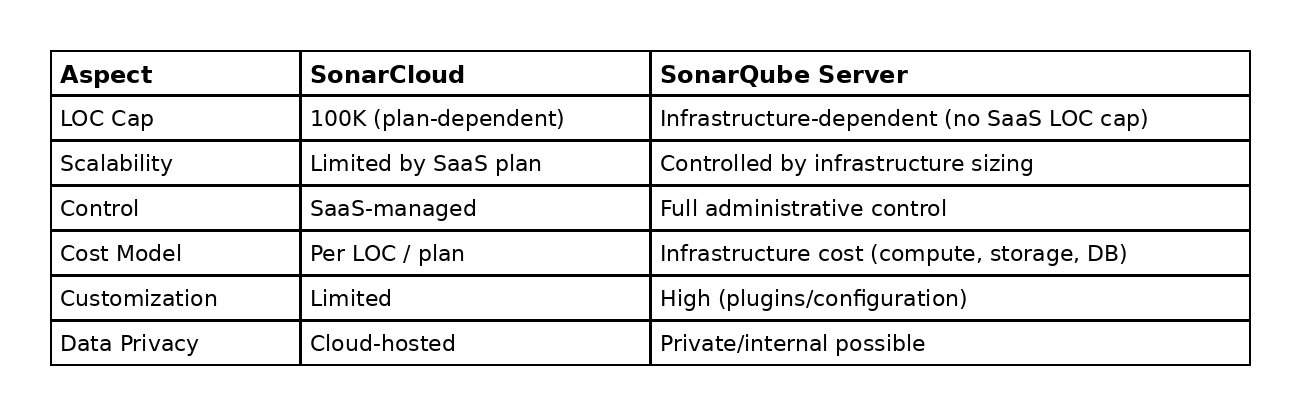
This blog outlines the current code quality scanning setup using SonarCloud and proposes migrating to a self-hosted SonarQube Server (Community Edition). The goal of this migration is to overcome SaaS limitations—particularly restrictions on Lines of Code (LOC) in SonarCloud—and to gain greater control over scalability, data privacy, and customization. By hosting SonarQube on Azure, the organization can establish a more flexible and cost-effective solution tailored to its specific needs.
2. Proposed Solution (Self-hosted SonarQube Server)
2.1 Why SonarQube Server
Self-hosting SonarQube provides the following benefits:
- Static code analysis and security issue detection, similar to SonarCloud
- Full control over configuration, upgrades, plugins, and data retention
- Improved scalability based on infrastructure sizing
- The ability to run within a private network
2.2 Sonar Cloud- Sonar Server Comparison
3. Azure Hosting Options
This section outlines the recommended Azure deployment options. Choose the most suitable option based on your operational maturity, scaling requirements, and preference for Kubernetes, virtual machines, or managed container platforms.
3.1 Common Prerequisites (Applicable to All Options)
Compute Requirements
- CPU / RAM:
- Minimum (Evaluation): 2 CPU / 4 GB RAM
- Recommended (Stable Usage): 4 CPU / 8 GB RAM
- SonarQube is memory-intensive; therefore, adequate resource allocation is essential for optimal performance.
Network
- Default SonarQube web port: 9000/TCP
Persistence
- SonarQube is a stateful application and requires persistent storage for:
- SonarQube data
- Extensions / plugins
- Logs
- Database storage
Database
- Use PostgreSQL as the SonarQube database.
- Modern versions of SonarQube support only PostgreSQL. Therefore, it is recommended to standardize on PostgreSQL unless your specific version supports an alternative database.
4. Option A — Azure VM (Ubuntu) + Docker Compose
4.1 VM setup
- Create a Linux VM (e.g., Ubuntu 22.04) preferably without a public IP address.
- Connect to the VM using VPN, Bastion, or other private access method.
- Ensure that inbound NSG (Network Security Group) rules allow traffic on port 9000/TCP only from approved sources.
4.2 OS tuning (recommended)
Update kernel parameters:
sudo vi /etc/sysctl.conf
Append:
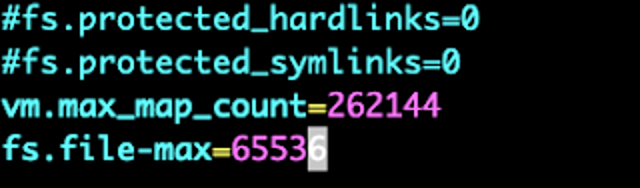
vm.max_map_count=262144
fs.file-max=65536
Apply:
sudo sysctl -p
Optional: set hostname:
sudo hostnamectl set-hostname sonarqube
5.3 Install Docker Compose
sudo apt update
sudo apt install docker-compose -y
5.4 Create `docker-compose.yml`
sudo vi docker-compose.yml
Example (Community Edition + PostgreSQL):
version: "3"
services:
db:
image: postgres:12
restart: unless-stopped
environment:
POSTGRES_USER: sonar
POSTGRES_PASSWORD: sonar
POSTGRES_DB: sonar
volumes:
- postgresql:/var/lib/postgresql/data

sonarqube:
image: sonarqube:community
restart: unless-stopped
depends_on:
- db
environment:
SONAR_JDBC_URL: jdbc:postgresql://db:5432/sonar
SONAR_JDBC_USERNAME: sonar
SONAR_JDBC_PASSWORD: sonar
volumes:
- sonarqube_data:/opt/sonarqube/data
- sonarqube_extensions:/opt/sonarqube/extensions
- sonarqube_logs:/opt/sonarqube/logs
ports:
- "9000:9000"

volumes:
sonarqube_data:
sonarqube_extensions:
sonarqube_logs:
postgresql:
5.5 Start SonarQube
sudo docker-compose up -d
sudo docker-compose logs –follow
5.6 Access SonarQube
From a machine inside the same VNet:
http://<linux-private-ip>:9000
6. Option B — AKS (Kubernetes) + Helm
This option is recommended for scalable, production-grade deployments with ingress, TLS, and standardized operations.
6.1 Prerequisites
- Azure CLI
- kubectl
- Helm
- (Optional) NGINX Ingress Controller
- (Optional) cert-manager for TLS
6.2 Create AKS cluster (example)
az aks create \
–resource-group <resource-group-name> \
–name <aks-cluster-name> \
–node-count <node-count> \
–enable-addons monitoring \
–generate-ssh-keys
Get credentials:
az aks get-credentials –resource-group <resource-group-name> –name <aks-cluster-name>
6.3 Add SonarQube Helm repo
helm repo add sonarqube https://SonarSource.github.io/helm-chart-sonarqube
helm repo update
6.4 Create a namespace
kubectl create namespace <namespace-name>
6.5 Create a values file (`sonarqube-values.yaml`)
edition: “” # empty = Community
community:
enabled: true
persistence:
enabled: true
service:
type: ClusterIP
postgresql:
enabled: true
postgresqlPassword: <your-secure-db-password>
monitoringPasscode: <your-secure-monitoring-passcode>
ingress:
enabled: true
annotations:
kubernetes.io/ingress.class: nginx
cert-manager.io/cluster-issuer: letsencrypt-prod
hosts:
– name: <your-domain.com>
path: /
pathType: Prefix
tls:
– secretName: sonarqube-tls
hosts:
– <your-domain.com>
6.6 Install
helm install <release-name> sonarqube/sonarqube \
–namespace <namespace-name> \
-f sonarqube-values.yaml
6.7 Get access endpoint
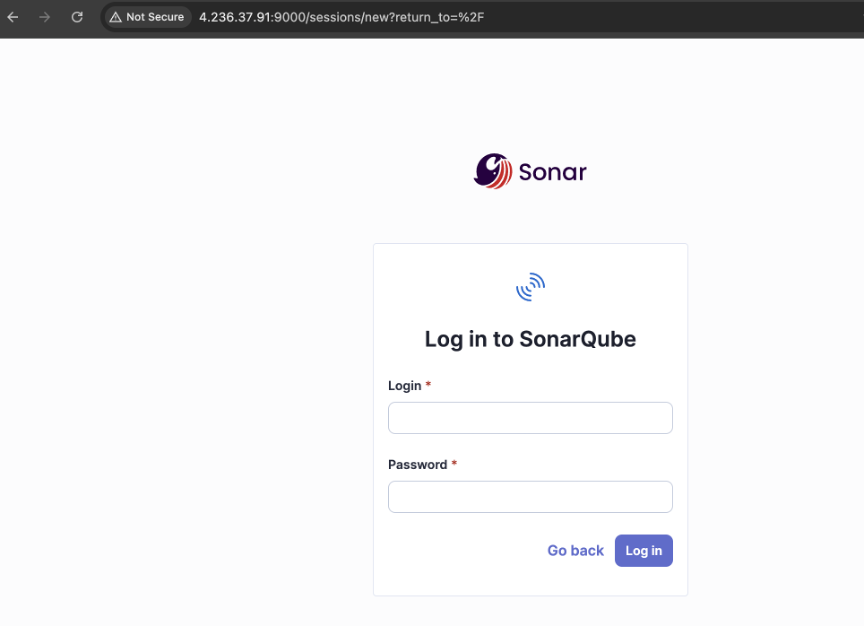
kubectl get svc -n <namespace-name>
kubectl get ingress -n <namespace-name>
For the following deployment options, this POC uses Azure Container Registry (ACR) to host the SonarQube container image instead of pulling directly from public registries.
Using ACR provides:
- Improved security by keeping images within the Azure environment.
- Better control over image versions and access
- Seamless integration with Azure services like AKS, ACA, and ACI
As part of this setup, we will also cover a quick walkthrough to create and configure ACR in Azure, including pushing the SonarQube image and enabling access from the respective hosting services.
- Create Azure Container Registry
az acr create \
–resource-group <resource-group-name> \
–name <acr-name> \
–sku Premium\
–location <region>
- If private access restriction required, then sku needs to be premium
- Pull SonarQube Linux/AMD64 Image
docker pull –platform linux/amd64 sonarqube:community
- Login to ACR
az acr login –name <acr-name>
- Tag the Image for ACR
docker tag sonarqube:community <acr-endpoint>/sonarqube:community
- Push Image to ACR
docker push <acr-endpoint>/sonarqube:community
- Verify Image Upload
az acr repository list –name <acr-name> –output table
7. Option C — Azure Container Apps (ACA)
Use Azure Container Apps (ACA) as a managed container runtime when you want to avoid managing Kubernetes infrastructure. However, note that SonarQube is a stateful application and requires persistent storage.
7.1 Notes
- SonarQube requires stateful storage for data, plugins, and logs.
- If using ACA, configure Azure Files or Azure Blob Storage mounts for persistence.
- Use an external PostgreSQL database, preferably Azure Database for PostgreSQL.
- Prefer internal ingress for private access.
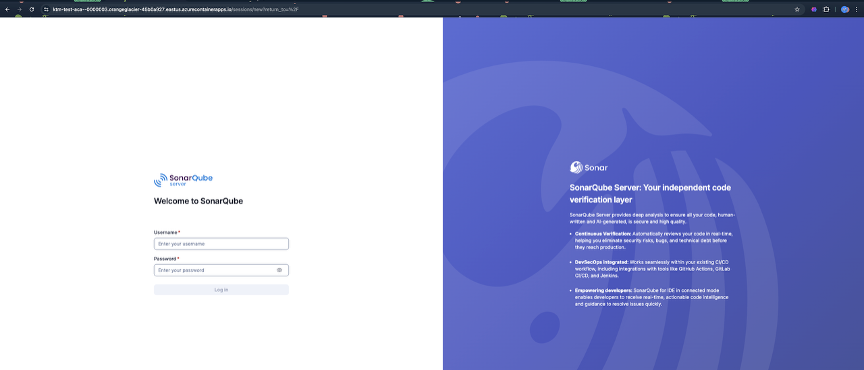
7.2 High-level setup (Portal)
- Azure Portal → Container Apps → Create
- Choose:
-
- Subscription / Resource group
- Container app name
- Region
- Container Apps environment
- Configure the container image (e.g., `sonarqube:community` from ACR if using a private registry)
- Set CPU/Memory (e.g., 4 vCPU / 8 Gi)
- Configure environment variables:
-
- `SONAR_JDBC_URL`
- `SONAR_JDBC_USERNAME`
- `SONAR_JDBC_PASSWORD`
- `SONAR_WEB_PORT=9000`
- Ingress:
-
- Enable
- Target port: 9000
8. Option D — Azure Container Instance (ACI)
ACI can be used for quick evaluations; however, its suitability for production environments is limited due to the following factors:
- Stateful storage and backup management are more challenging
- Scaling and high availability capabilities are limited compared to AKS
If you choose to use ACI:
- Allocate sufficient CPU and memory resources (e.g., 4 vCPU / 8 GB)
- Expose port 9000/TCP
- Use PostgreSQL with external persistent storage
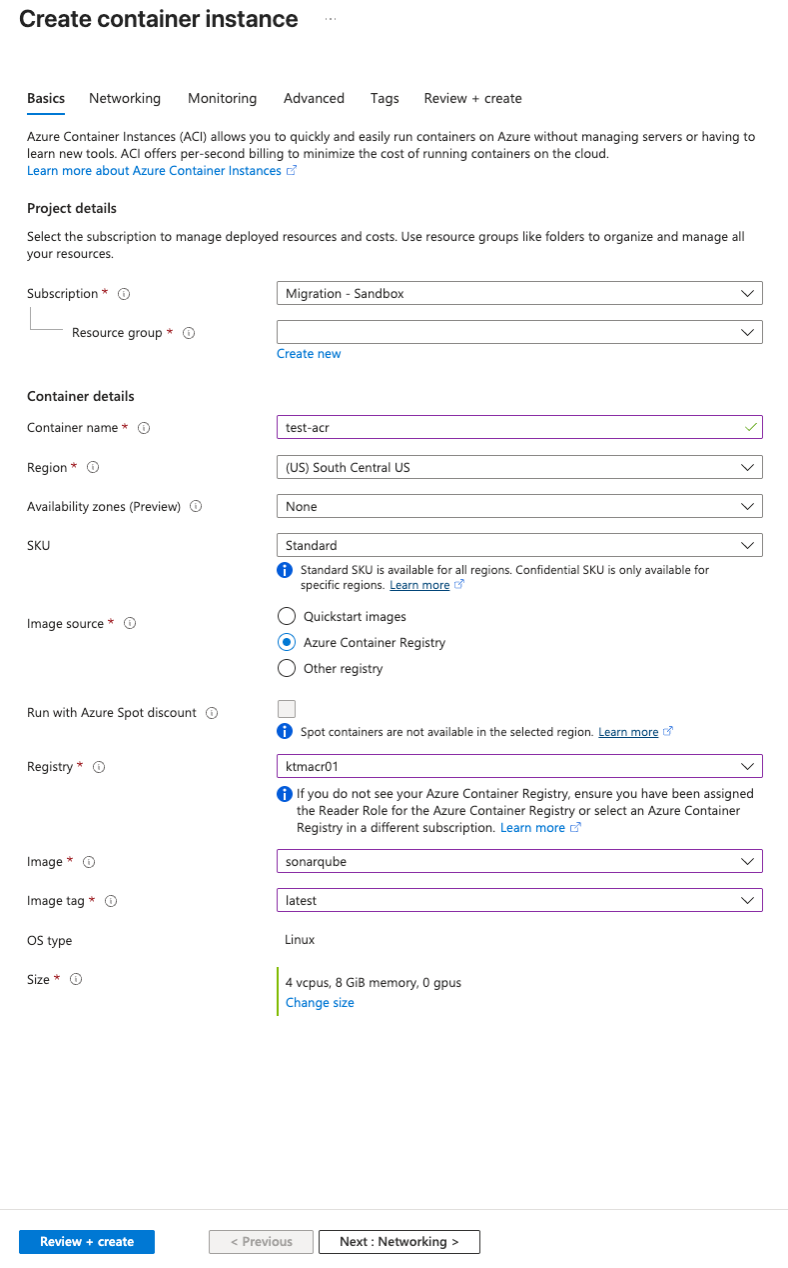
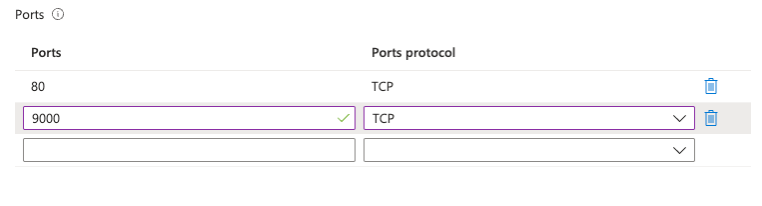
- Under the Advanced Settings Blade, add the following environment variables:
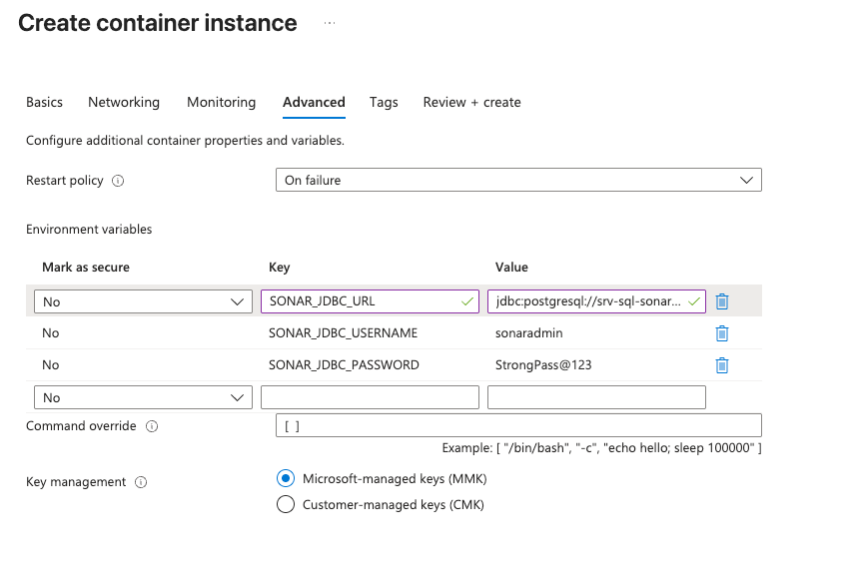
Environment Variables for reference:
SONARQUBE_JDBC_USERNAME’= <Username>
‘SONARQUBE_JDBC_PASSWORD’='<your password>’
‘SONARQUBE_JDBC_URL’= ‘jdbc: sqlserver://<server-name>.database.windows.net:1433;database=<dbname>;user=<username>@<Servername>;password=<yourpassword>;encrypt=true;trustServerCertificate=false;hostNameInCertificate=*.database.windows.net;loginTimeout=30’\
Save and deploy the SonarQube server in Azure Container Instances (ACI).
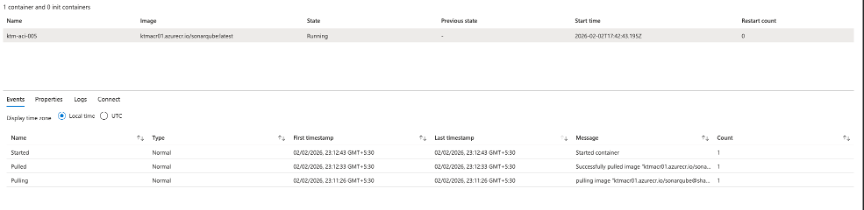
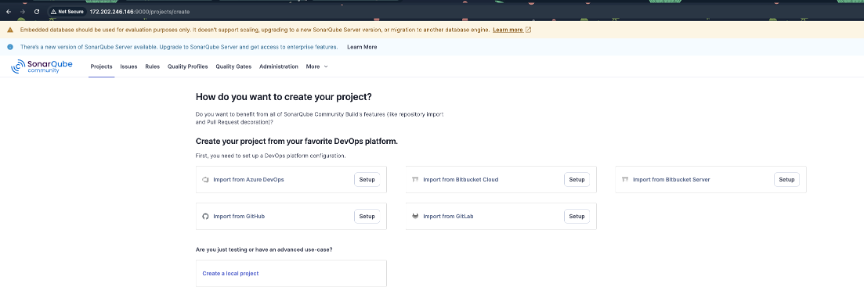
- Open SonarQube using the following link: http://<aci-ip>:9000
9. Recommendation
- Simplest stable solution: Option A (VM + Docker Compose)
- Production-grade option with ingress and standardized operations: Option B (AKS + Helm)
10. Next Steps
- Select the hosting option (VM / AKS / ACA / ACI).
- Confirm the SonarQube version you will deploy.
- Confirm the database choice (default: PostgreSQL).
- Define network access requirements (private-only vs public with TLS).
- Implement backups for the database and persistent storage, and establish an upgrade plan.