
Introduction
A few months ago, I provisioned an SQL Server instance in Azure with full enterprise-grade configurations—premium tier, automated backups, and zone redundancy. What began as a short test quickly became an expensive lesson: within 30 hours, the cost had already reached nearly $300.
Despite running only a small experimental workload, the charges accumulated rapidly, highlighting how cloud costs can escalate without proper oversight.
This experience reinforced an important realization—effective cloud adoption isn’t only about scalability and performance; it’s equally about financial accountability and optimization. That’s precisely where FinOps plays a critical role.
Understanding FinOps
What is FinOps?
FinOps, short for Financial Operations, is the practice of managing and optimizing cloud costs by bringing together finance, engineering, and business teams. It’s often called a cultural shift more than a cost-cutting measure.
Think of the cloud as a sports car—fast, powerful, and flexible. Without oversight, though, you burn fuel (money) at lightning speed. FinOps acts as a driver’s manual, showing when to speed up, slow down, and get the most mileage per dollar.
At its core, FinOps turns unpredictable cloud bills into a transparent, strategic process—the bridge between innovation and financial discipline.
Why FinOps Matters in Cloud Adoption
As organizations migrate to the cloud, costs can spiral quickly. Without discipline, teams may overspend on unused resources, overprovision to “play safe,” or pay premiums for features that aren’t necessary.
FinOps ensures cloud adoption remains sustainable by providing visibility, accountability, and smarter spending. It empowers businesses to scale confidently while balancing innovation with cost efficiency.
Common Challenges in Cloud Cost Management
Managing cloud costs isn’t straightforward. Here are the top hurdles most teams face:
- Lack of Visibility – Cloud bills often run into thousands of line items; without tagging, it’s nearly impossible to know which project drove the spending.
- Overprovisioning of Resources – Engineers often pick bigger or premium resources to avoid risk, silently inflating costs.
- Idle or Unused resources—orphaned workloads continue billing long after they’re forgotten.
- Unpredictable Usage—Auto-scaling and on-demand workloads can create cost spikes overnight.
- Siloed Responsibilities—Finance pushes for savings, engineers prioritize performance, and product teams chase speed—without a shared language.
The Role of Automation & Tooling
Manually managing cloud costs is like trying to count raindrops in a storm. Automation and tooling bring structure and speed:
- Automated Reporting – Pull billing data from AWS, Azure, or GCP and visualize spending on dashboards.
- Intelligent Rightsizing – Detect underutilized or oversized resources and recommend cheaper options.
- Policy-Driven Governance – Stop wasteful spending automatically through guardrails.
- Anomaly Detection – Catch unusual cost spikes before they spiral.
- Forecasting & Budgeting – Predict future costs with data-driven insights.
- Workflow Integration – Tie FinOps into DevOps and ITSM tools like Jira, ServiceNow, or Slack.
Why You Need a FinOps Tool
Traditional vs. FinOps-Driven Cost Management
Traditional IT cost management was predictable—buy servers once, and finance knew the bill. Cloud flips that model. With just a few clicks, anyone can spin up a resource, and the meter starts running.
FinOps shifts cost visibility into real-time dashboards rather than month-end reconciliations. Instead of finance chasing bills, engineering teams see spending instantly and can optimize on the fly.
Issues Without FinOps
- Cloud spend turns into a haphazard process.
- Bills arrive late; finance scrambles to allocate costs.
- Engineers chase speed, and finance chases savings—neither wins.
Business Impact of Unmanaged Costs
Unmonitored expenditure not only increases costs—it can diminish trust. Leaders experience bill shock, shrinking funds choke innovation, and teams wrestle with accountability gaps.
By contrast, FinOps brings predictability, accountability, and confidence to scale cloud environments without surprises.
Spotlight: CloudBolt FinOps Tool
To address these challenges, organizations are adopting automated FinOps platforms. Among them, CloudBolt stands out as a comprehensive, multi-cloud cost management solution.
Feature Highlights
-
Consolidated Reporting
CloudBolt provides a guided, data-driven view of cloud spend, helping organizations track budgets, identify cost drivers, and uncover savings opportunities.
Key Highlights:
- Cost Overview: 12-month visualization of spend trends, average monthly costs, optimization ratings, and potential savings.
- Interactive Filters: Drill into specific services for detailed analysis.
- Cost Drivers: Service-level and account-level breakdowns with month-over-month (MoM) changes.
- Savings Insights: Deep dive across spend by month, service, tier, and account for granular governance.
-
Groups & Adapters
- Groups: Logical isolation of environments, such as subscriptions, accounts, or projects, for simplified evaluation and management.
- Adapters: Integration points with cloud providers—Azure (subscription level), AWS (account level), and GCP (project level).
This structure ensures unified visibility and control across multi-cloud landscapes.
-
Cloud-Agnostic Support
CloudBolt supports AWS, Azure, and GCP, with GCP capabilities continuing to expand. This multi-cloud approach makes it easier to standardize cost governance across diverse environments.
-
Customizable Dashboards
Dashboards can be tailored with user-defined parameters and visualization panels, offering teams a personalized, business-relevant perspective on cloud spending.
-
Enhanced Usability Features
- Currency Conversion: Convert costs into preferred currencies (USD, EUR, etc.) for regional clarity.
- Automated Tagging & Remediation: Assign and enforce tags directly from the CloudBolt interface for consistent governance.
Resource & Service Management
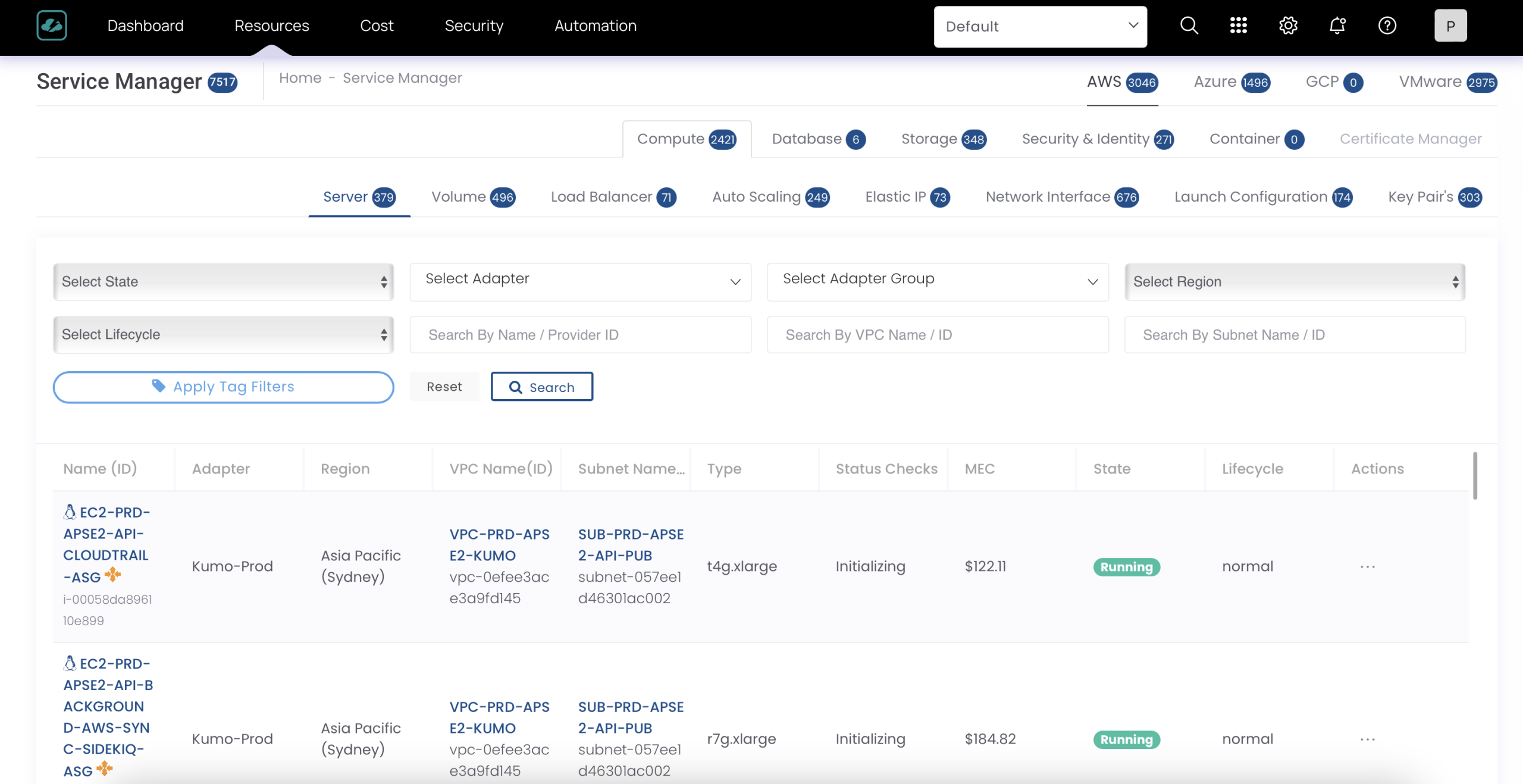
Tag Management
A centralized console for managing tags across accounts and providers. Users can filter by account, tag type, service type, region, or tag key, ensuring precise and consistent resource tagging.
Service Management
A single dashboard for all resources—compute, storage, databases, containers, identity, and security. It provides:
- Advanced filtering (region, adapter, VPC, subnet, etc.)
- Estimated monthly costs and utilization details
- Centralized governance across services
Reporting & Analytics
Cost Report
- Provides a visual summary of AWS cloud spending over a selected time range. It allows users to monitor cost trends, analyze historical vs. forecasted expenditures, and gain actionable insights by grouping spend across multiple dimensions.
- Can also customize the report based on the meter category, account ID, servicer tier, etc.

Cost Analysis
- This report provides a comprehensive breakdown of costs with a single dimension, such as account, service type, or any other dimension. It presents daily aggregated cost data, enabling users to analyze spending trends over time. The report includes key financial metrics such as unblended cost, amortized cost, net cost, and more, offering deeper insights into usage-based and allocated expenses for accurate budgeting and chargeback analysis.
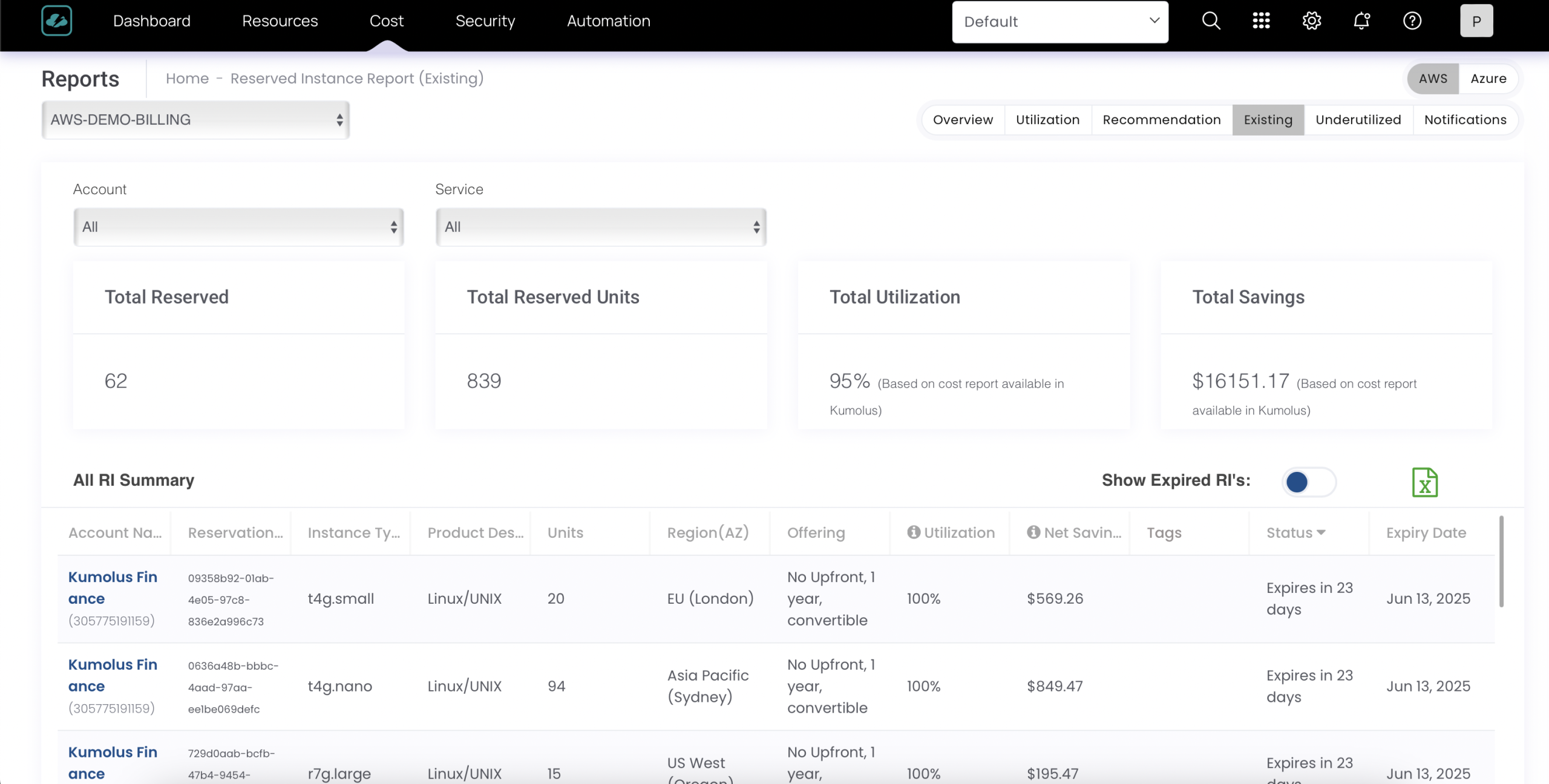
Reserved Instance & Savings Plan Reports
- Utilization reports for existing reservations
- Underutilization alerts with actionable recommendations
- Savings calculators to compare on-demand vs. reserved pricing
- Notifications for better tracking of commitment usage
Optimization Advisor
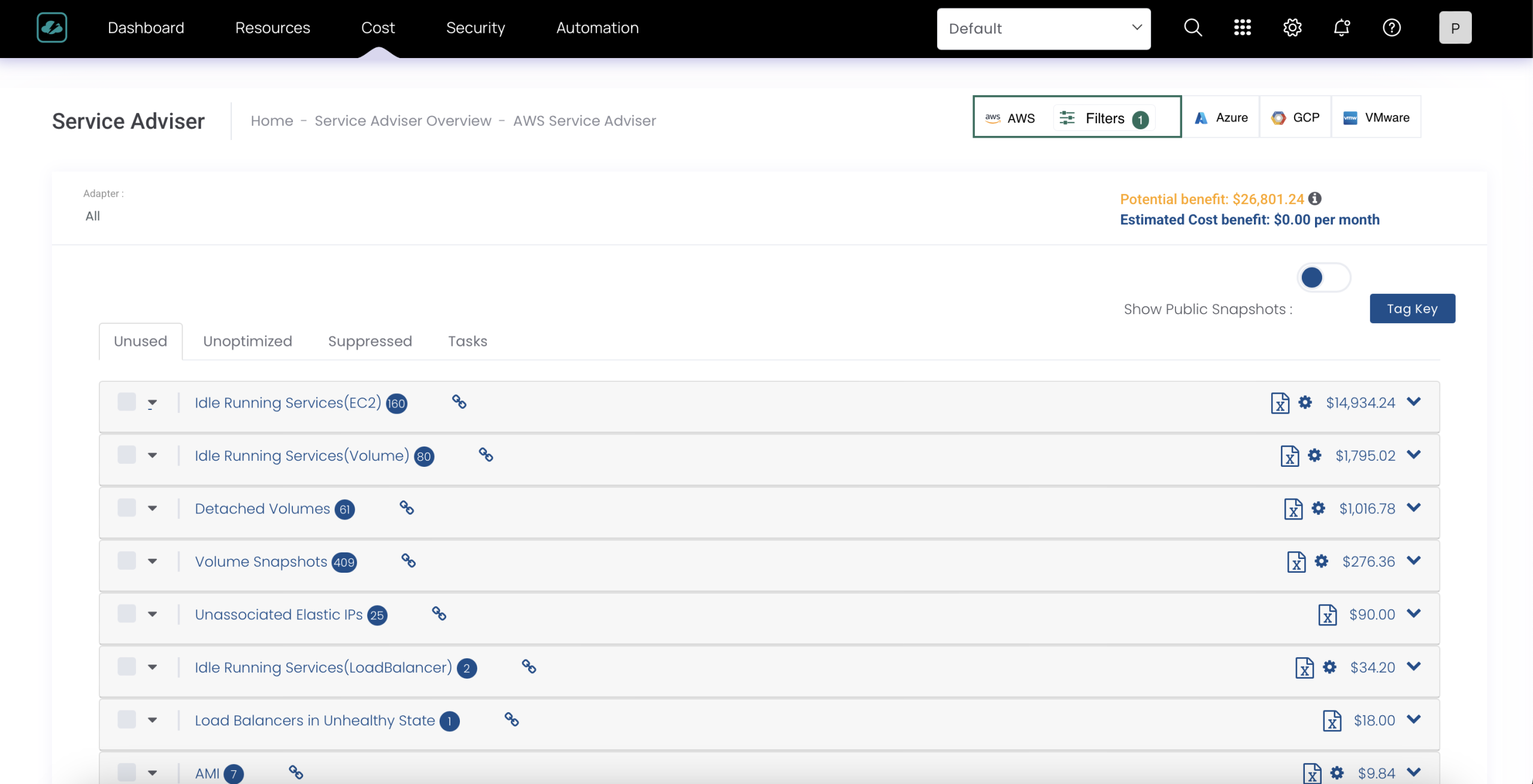
The Advisor Dashboard consolidates potential cost savings across AWS, Azure, GCP, and VMware. Each provider has summary cards showing:
- Potential savings
- Resource counts
- Adapter details
Teams can drill down into environments (e.g., production vs. development) for granular optimization recommendations.
Budgeting
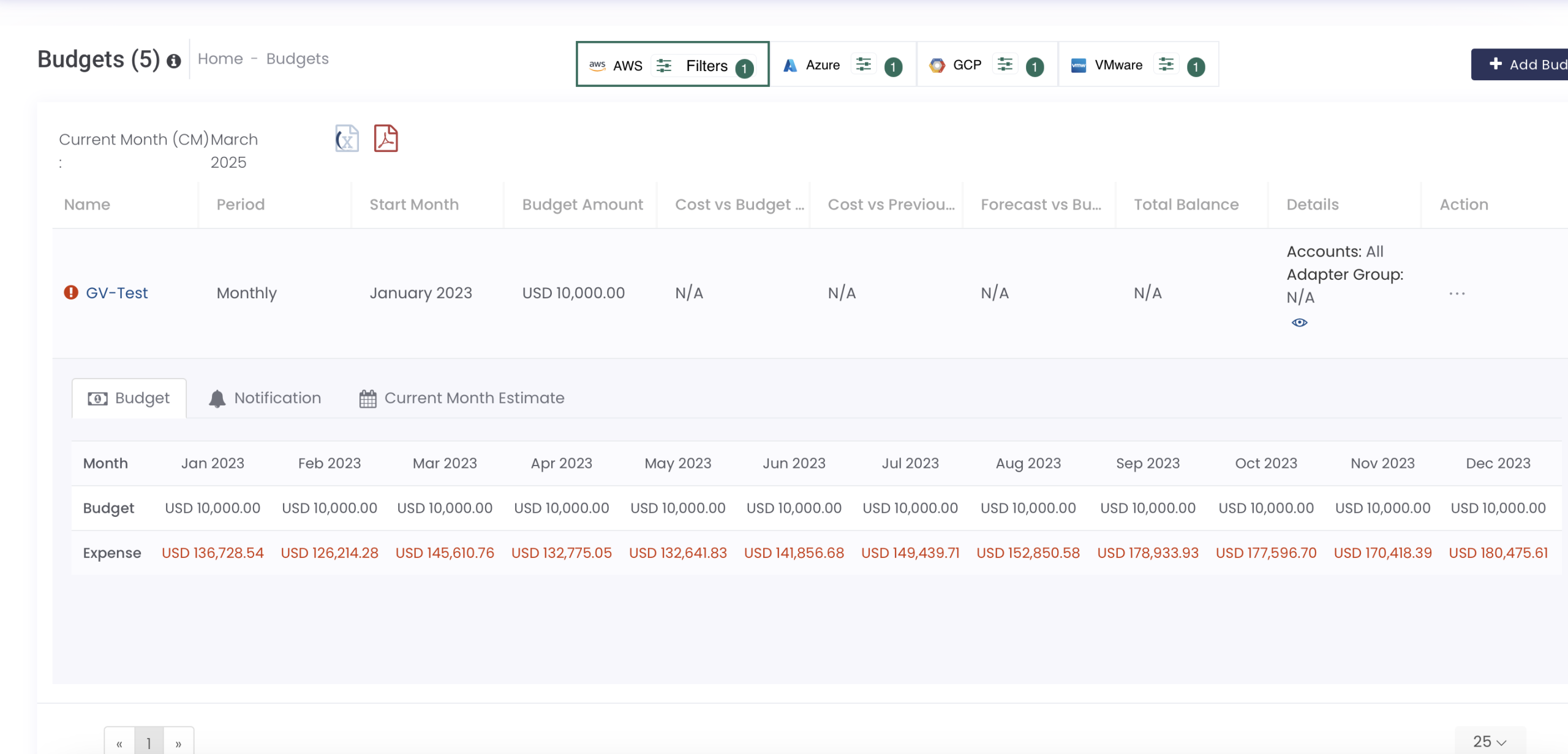
- Create and manage budgets with monthly breakdowns
- Compare set budgets vs. actual costs
- Configure email notifications for threshold breaches or anomalies
This ensures proactive financial management and accountability.
Security & Compliance
Security Advisor Report
Categorizes threats into high, medium, and low severities across access, compute, networking, and identity. The report facilitates rule-based classifications and provides proactive alerts for remediation.
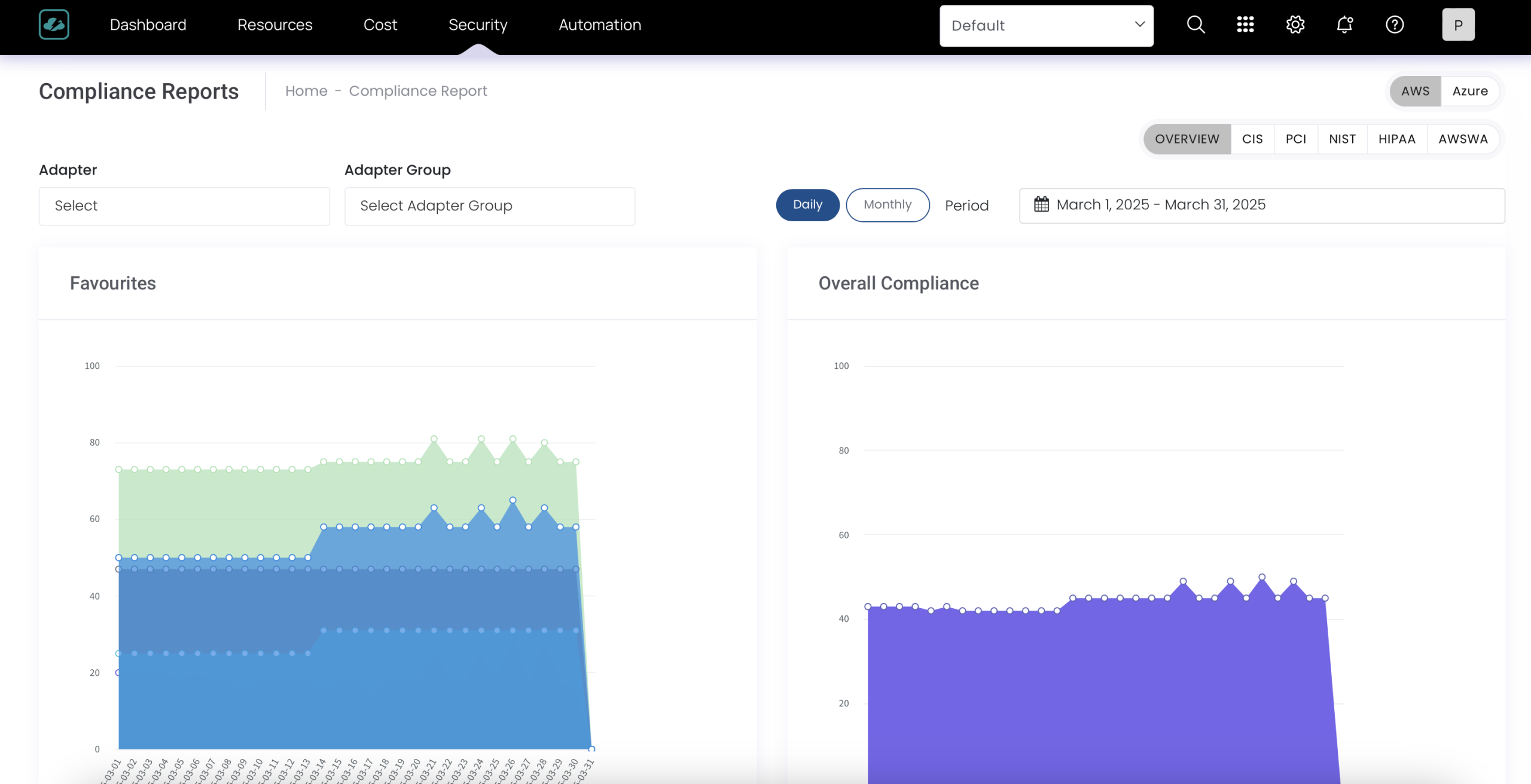
Compliance Reports
Evaluate environments against frameworks such as HIPAA, NIST, and others. Identify compliance gaps, enforce policies, and maintain audit readiness.
Automation
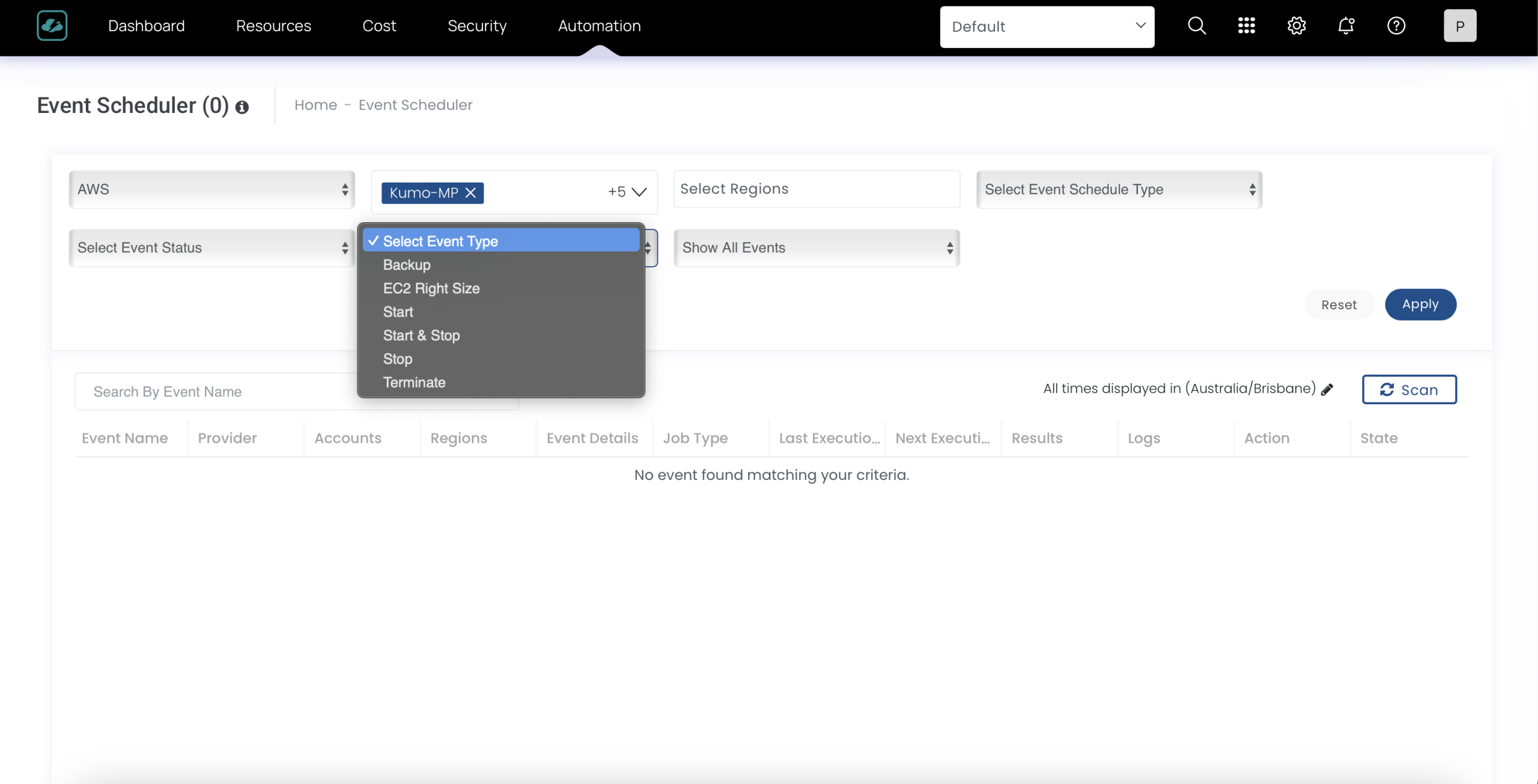
Event Scheduler
Monitor all scheduled events—rightsizing, stopping, starting, or terminating resources. Includes filters by:
- Schedule type (hourly, monthly, etc.)
- Event type (start, stop, terminate, etc.)
- Event status (failed, pending, completed)
CloudBolt is also expanding its automation features to provide end-to-end governance and lifecycle management.
Why CloudBolt?
With its multi-cloud support, powerful analytics, governance tools, and security insights, CloudBolt offers a single pane of glass for FinOps teams. From visibility and reporting to automation and compliance, it empowers organizations to make smarter financial decisions and maximize their cloud investments.
How CloudBolt Helps Organizations
CloudBolt simplifies visibility, drives accountability, and enables cost optimization at scale. It brings clarity to complex bills, enforces governance, and enhances collaboration across teams.
Use Cases
- Chargeback & Showback – Track spend by team, project, or BU.
- Rightsizing – Identify underutilized instances and optimize.
- Budget Enforcement – Stay within thresholds via alerts and notifications.
- Compliance & Security – Map against frameworks like HIPAA or NIST.
Pros & Cons
Pros:
- Strong multi-cloud support.
- Deep reporting and visualization.
- Built-in governance and security alignment.
Cons:
- Some GCP integrations are still maturing.
- Automation features under active development.
Best Practices for Implementing a FinOps Tool
- Tagging & Governance – Enforce consistent resource tagging to enable visibility.
- Define KPIs—Track metrics like savings percentage, budget adherence, and anomaly response times.
- Align with DevOps/CloudOps—Embed cost awareness in daily workflows, not just finance reviews.
The Future of FinOps & Tools
- AI-Driven Optimization – Machine learning will automate anomaly detection and recommendations.
- Multi-Cloud by Default – As enterprises diversify, tools will unify spending across providers.
- Autonomous FinOps—Expect tools to automatically execute cost-saving actions without human intervention.
Conclusion
Cloud isn’t just about speed and scale—it’s about sustainable innovation. FinOps ensures efficient use of every dollar by providing discipline, visibility, and governance.
Tools like CloudBolt take FinOps from theory to practice, helping organizations balance innovation with cost efficiency across multi-cloud environments.
Call to Action
If your cloud bills are overwhelming, it’s time to implement FinOps. Start small, measure impact, and scale your practices with the right tools. Because in today’s cloud economy, the smartest spenders win, not just the fastest builders.