
Introduction
Managing and evolving data lake architectures at scale can be challenging—especially when you require traceability and rollback capabilities. In this blog, I’ll walk you through how we used Liquibase to implement version-controlled DDL management for a Medallion Architecture in Databricks.
-
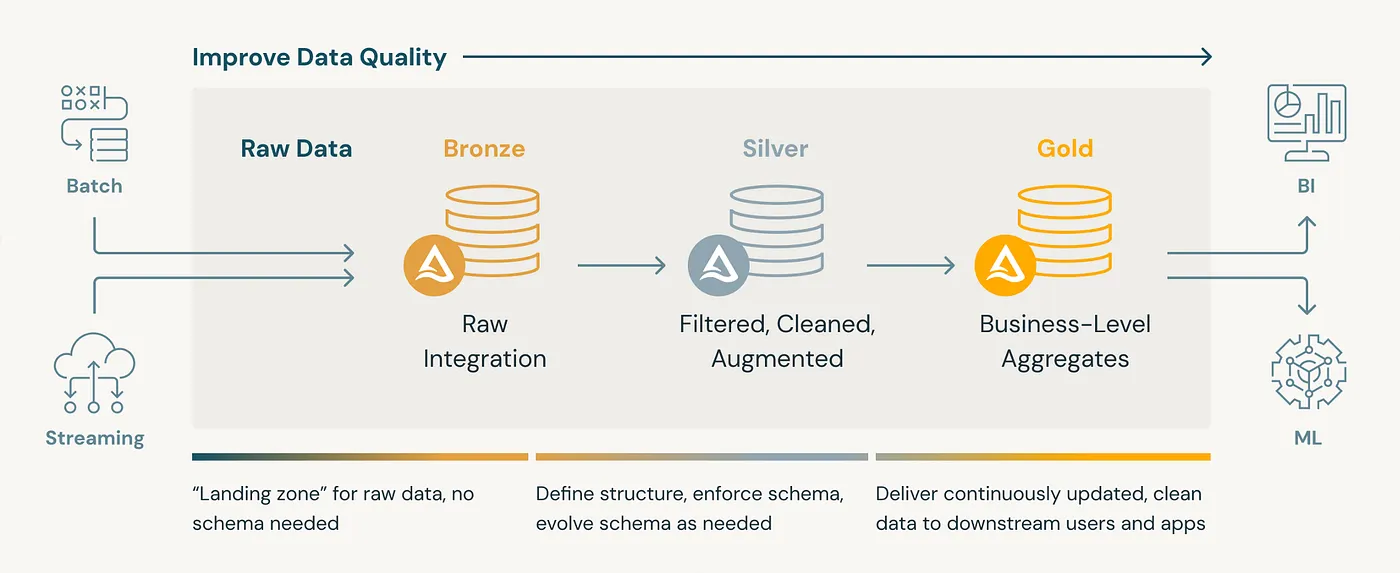
Medallion Architecture (Bronze → Silver → Gold):
A medallion architecture is a data design pattern used to organize data logically in a lakehouse. It aims to improve data structure and quality incrementally as data moves through each layer: Bronze, Silver, and Gold tables. This approach is sometimes called a “multi-hop” architecture.
-
What is Liquibase?
Liquibase is an open-source tool for managing database schema changes. It helps teams track, version-control, and deploy changes like table creation, column addition, and constraints. It works in a structured and automated way, similar to how Git tracks application code.
Think of it as Git for database DDLs (Data Definition Language scripts).
-
Liquibase in a Databricks/Delta Lake World
How It Fits in Databricks
Databricks is a data engineering and analytics platform. Delta Lake is its storage layer, adding ACID transactions, schema enforcement, and time travel to data lakes.
Databricks has strong data capabilities but lacks native version control or audit tracking for schema changes like table creation or alteration.
That’s where Liquibase becomes valuable.
Why Use Liquibase in Databricks
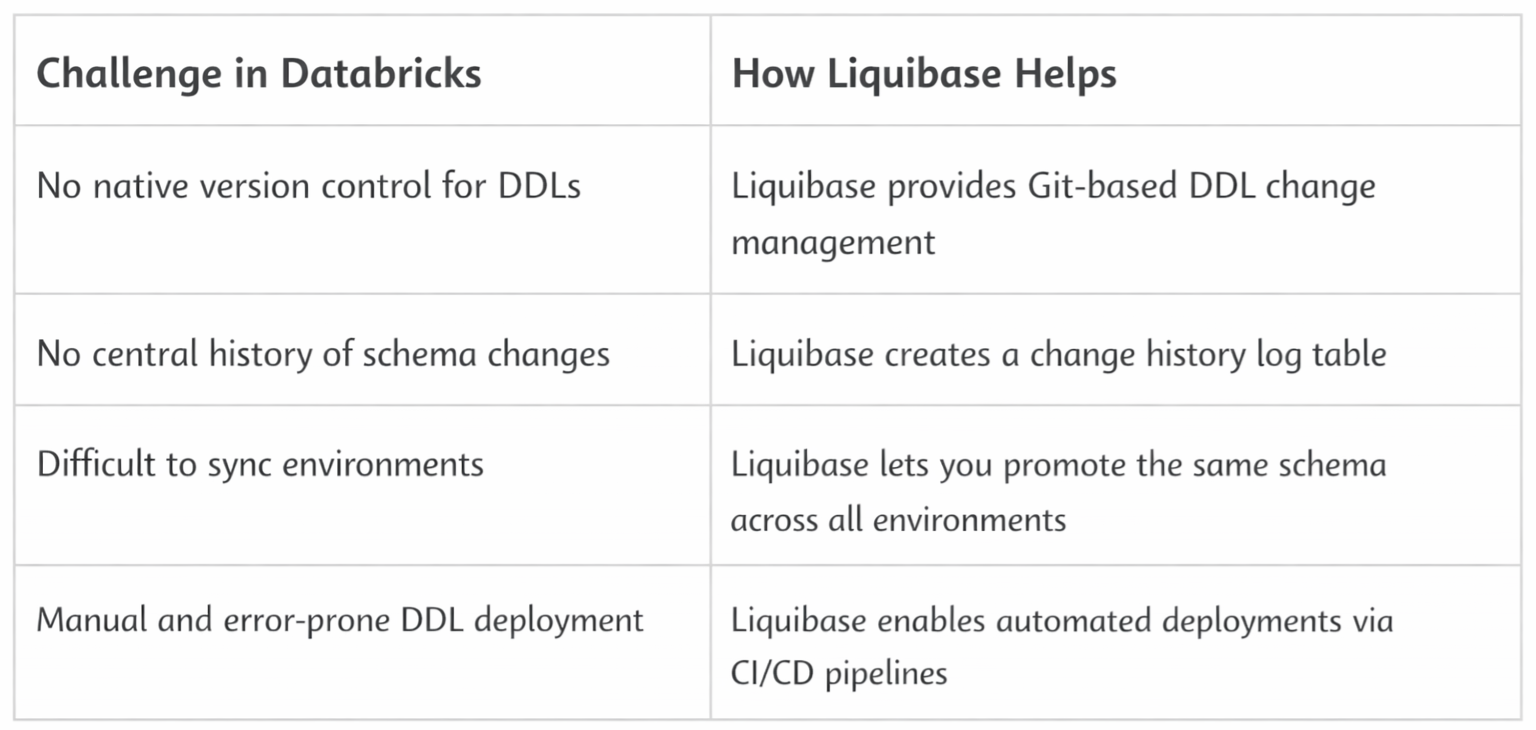
Liquibase + Delta Lake = GitOps for Data Schemas
-
Why Version Control for DDLs Matters:
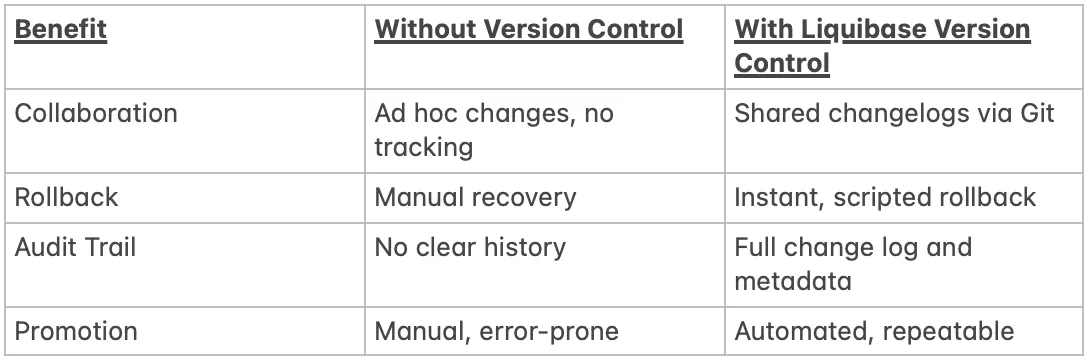
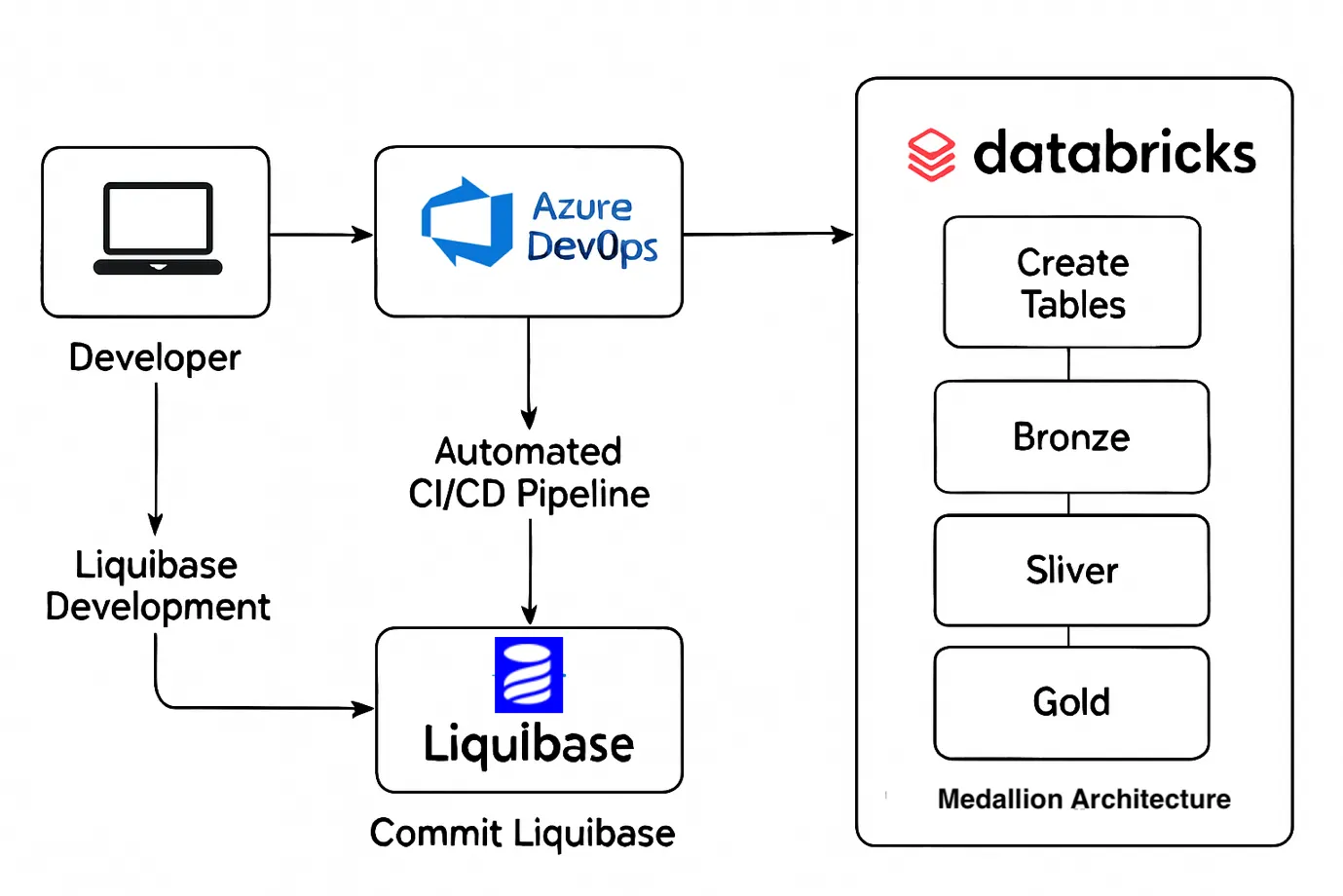
You can show a basic flow diagram:
Liquibase → Databricks (via JDBC) → Bronze/Silver/Gold Schemas → Common Log Schema
Flow Diagram:
-
Prerequisites:
Technical Setup:
You will need the following tools installed and configured on your system:
- Java(Liquibase runs on Java)
- Liquibase CLI(download and install from the Liquibase websiteor use Homebrew)
- Databricks JDBC Drivers
Access Setup:
- Azure Data Bricks
- Azure DevOps
-
Step-by-Step Implementation:
This section walks you through setting up and using Liquibase to manage version-controlled DDLs in Databricks with Delta Lake, step by step, covering:
- Project Setup
- Liquibase Configuration
- Writing Changelogs
- Execution
a. Project Setup:
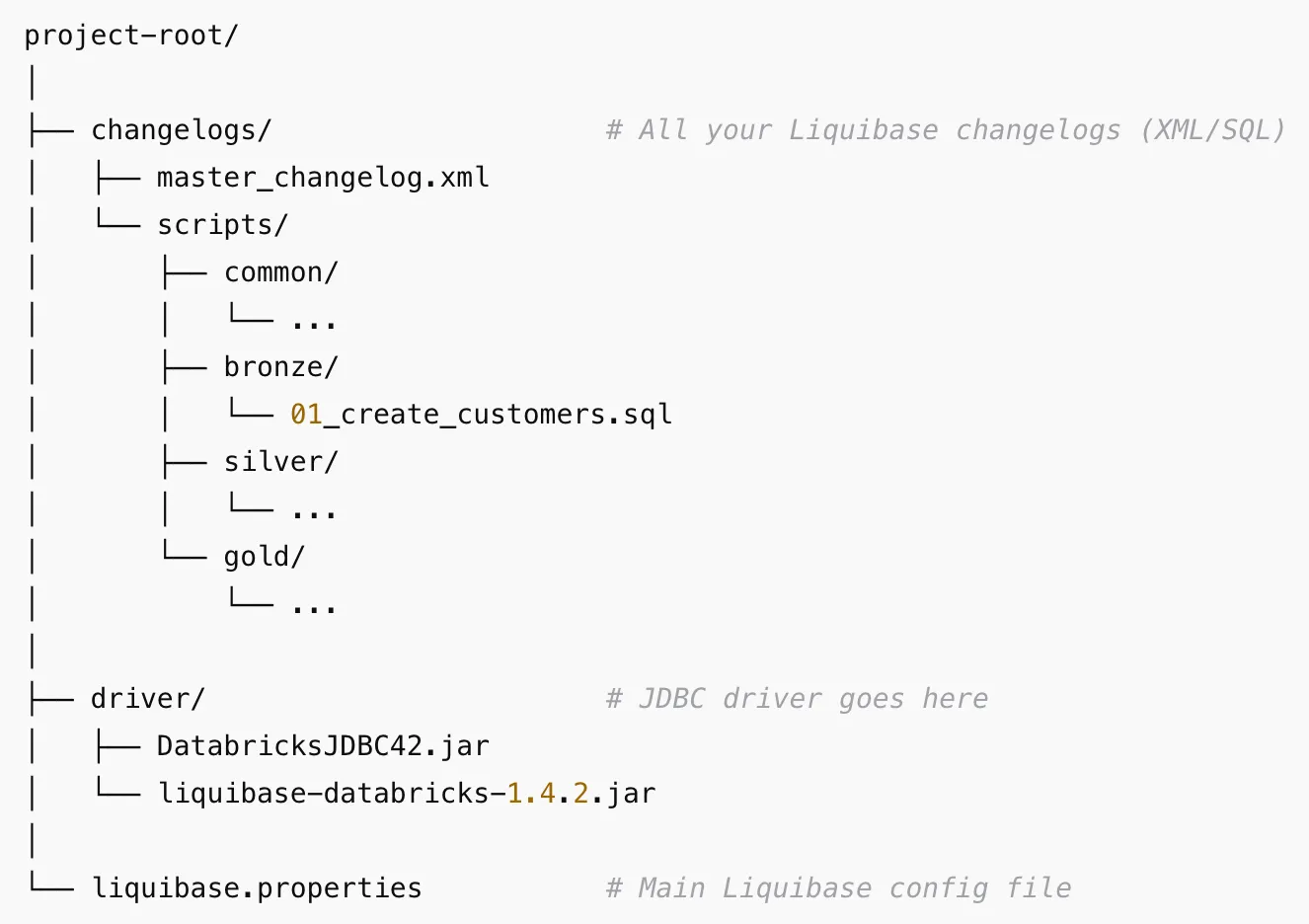
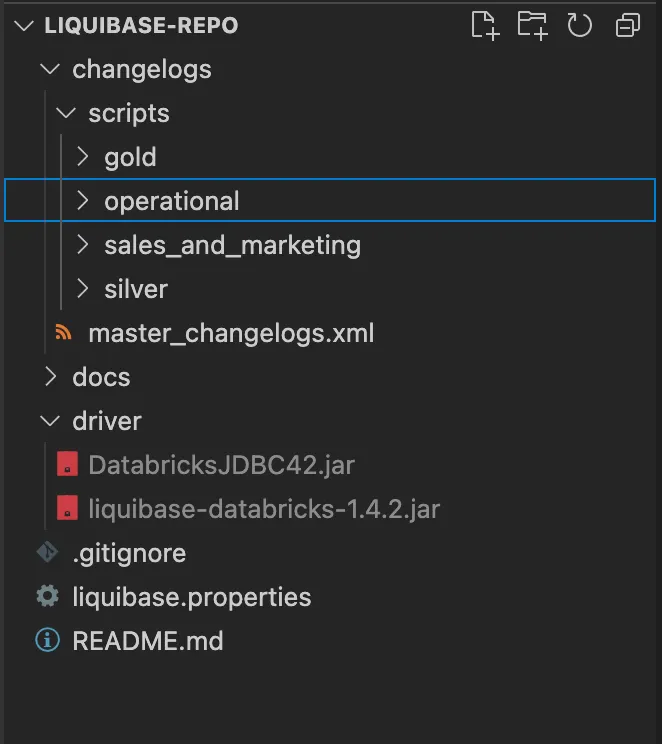
Recommended Folder Structure
Common Schema for Logs
Create a centralized schema to store Liquibase logs:
CREATE SCHEMA IF NOT EXISTS Liquibase will automatically create the DATABASECHANGELOG and DATABASECHANGELOGLOCK tables inside this schema.
This table ensures that only one instance of Liquibase applies changes at a time. It prevents race conditions and conflicts when multiple users or automation pipelines run Liquibase concurrently.
DATABASECHANGELOG:
This is the main changelog history table. It records each changeset executed against the database.
Flow:
- Liquibase starts → checks DATABASECHANGELOGLOCK → acquires lock.
- Reads changelogs and compares with DATABASECHANGELOG.
- Applies new changesets → logs each one in DATABASECHANGELOG.
- Releases lock in DATABASECHANGELOGLOCK.
If These Tables Are Missing:
Liquibase will create them automatically in the target database schema during the first run. However, if you manually delete or tamper with them:
- It may reapply changes.
- It may cause duplicates or failures.
b. Liquibase Configuration
Create a liquibase.properties File with,
driver: com.databricks.client.jdbc.Driver classpath: driver/DatabricksJDBC42.jar changeLogFile: changelogs/master_changelog.xml url: jdbc:databricks://:443;TransportMode=http;SSL=1;\ AuthMech=3;UID=token;PWD=;\ httpPath=;\ ConnCatalog=;ConnSchema=;\ UserAgentEntry=Liquibase;EnableArrow=0;\Note: Use an environment variable for the URL for a secure process.
Replace <workspace-hostname> ,<your-token>, <warehouse-http-path>, <catalog>, and <schema> with your actual values.
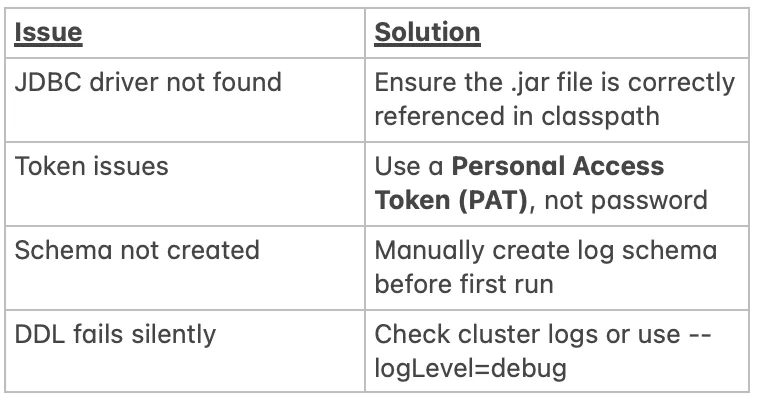
Common Pitfalls in Databricks Setup:
c. Writing Changelogs:
You can write changelogs in:
- SQL format (recommended for Databricks)
- XML, YAML, or JSON (requires extra syntax handling)
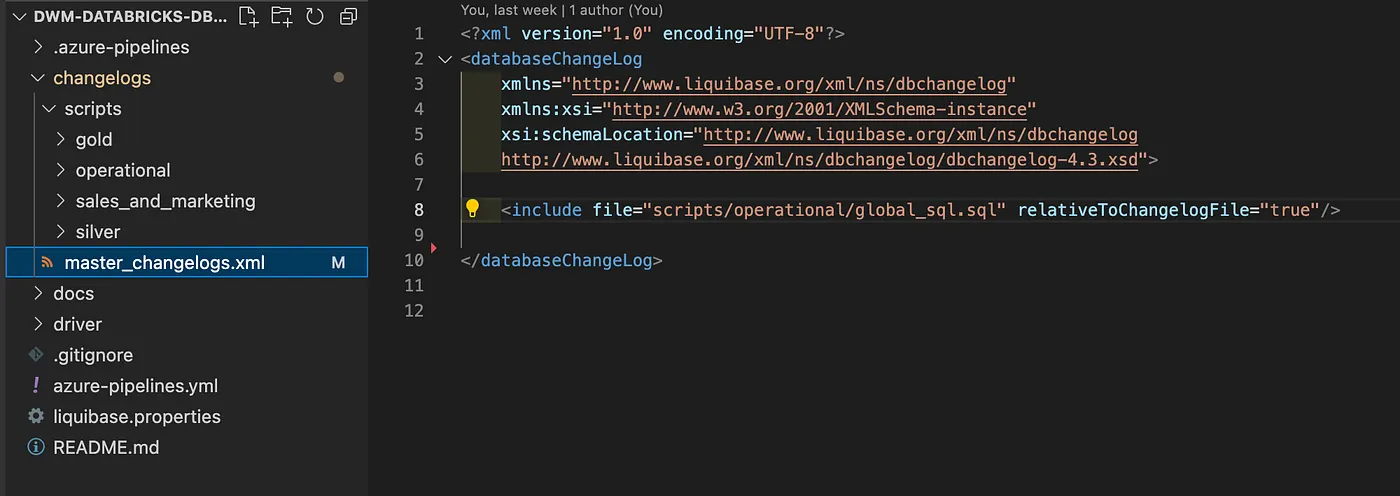
<databaseChangeLog>
<include file=”bronze/your_sqlfile.sql” />
<include file=”silver/your_sqlfile.sql” />
</databaseChangeLog>
Master Changelog (XML):
Sample SQL Changelog (01_create_customers.sql):
— liquibase formatted sql — changeset author:table_name context:schema_name CREATE TABLE IF NOT EXISTS schema_name.table_name( column_name1 STRING, column_name2 STRING ) USING DELTA TBLPROPERTIES ( ‘delta.columnMapping.mode’ = ‘name’ ) — rollback DROP TABLE IF EXISTS schema_name.table_name;
How Rollback Works:
Liquibase reads the rollback section of your changelog and reverts the change.
liquibase rollbackCount 1
d. Execution:
Run Liquibase Commands.
Apply changes:
liquibase update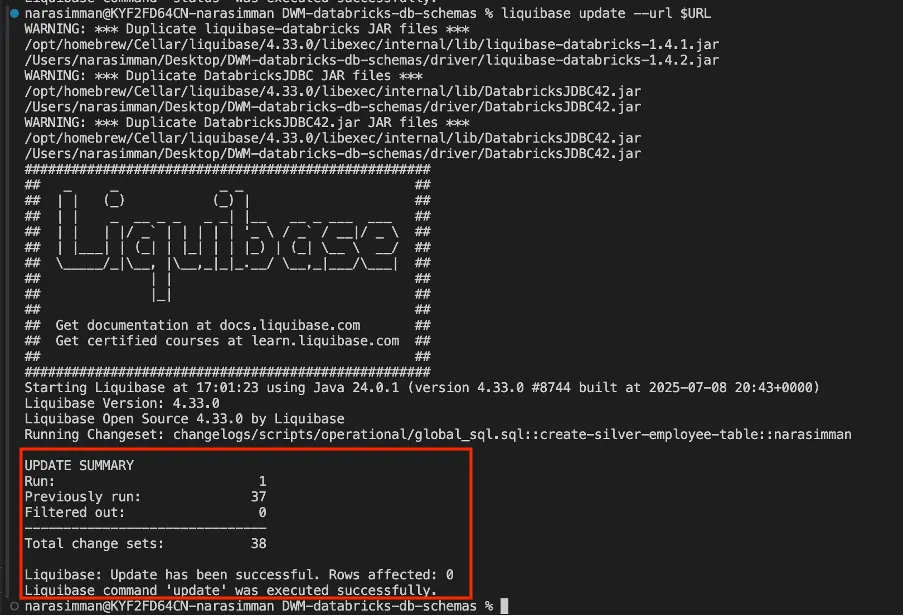
Rollback last change:
liquibase rollbackCount 1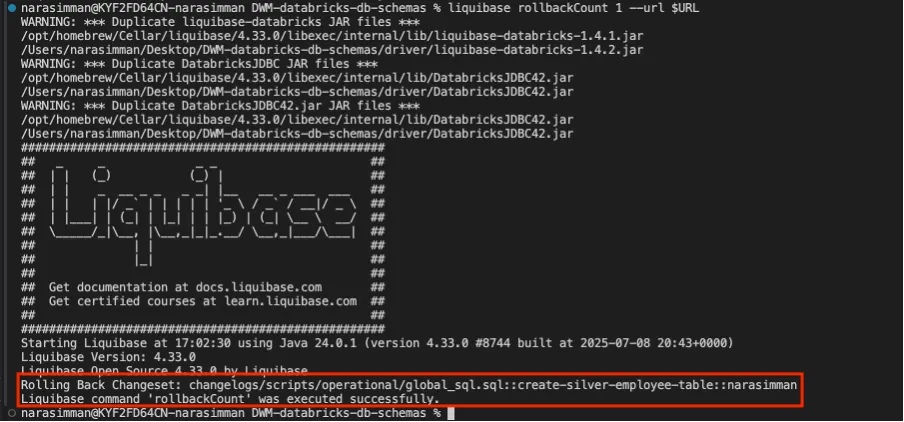
Preview changes (dry run):
liquibase updateSQL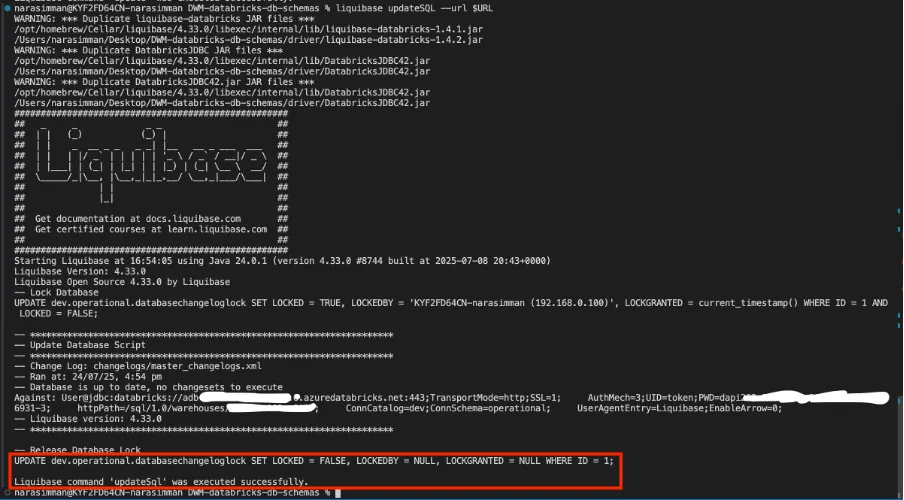
Check current status:
liquibase status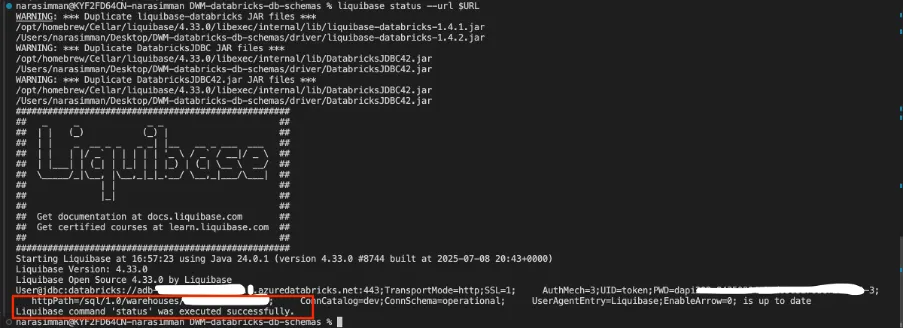
Conclusion
As lakehouse platforms scale, schema changes can no longer be an afterthought. In a Medallion Architecture, unmanaged DDL updates across Bronze, Silver, and Gold layers quickly lead to broken pipelines and hard-to-trace issues.
By using Liquibase with Databricks and Delta Lake, you bring Git-style version control, auditability, and rollback to data schemas. DDLs become code, changes become repeatable, and deployments become safer across environments.
Combined with Delta Lake’s ACID guarantees, this approach enables a production-ready, governed, and scalable lakehouse—where schema evolution is controlled, not chaotic.